AI Workflows & Connectivity for Engineering Calculations
Nine workflows for creating, sharing, and structuring calculations with AI coding assistants.
Put Maple Flow calculations in Excel, CAD models, and Python pipelines your team already uses.


Your team is being asked to put AI to work, and engineers spend too much time rebuilding calculations that already exist somewhere – in a spreadsheet, a script, or a technical paper, and even longer getting them to the right people in the right format.
Maple Flow works with AI coding assistants such as Claude Code and Codex, alongside Maple* to generate worksheets from existing sources - a prompt, an Excel spreadsheet, a MATLAB script, or a technical paper. Generate quickly, then review before relying on the output.
Nine Workflows. Three Moves.1 of 3
Describe the calculation you need, and an AI coding assistant produces a structured Maple Flow worksheet with live 2D math, unit-aware inputs, images, and every equation’s source documented.
2 of 3
Turn a spreadsheet into a calculation document your team can trust. An AI coding assistant translates Excel cell logic into a Maple Flow worksheet - formulas become readable equations, hidden references become documented assumptions, and the math is visible.
3 of 3
Turn a MATLAB script into a calculation document engineers can read and review. An AI coding assistant converts script logic into a Maple Flow worksheet – loops and procedural code become high-level solvers and natural 2D equations, without losing the underlying math.
1 of 3
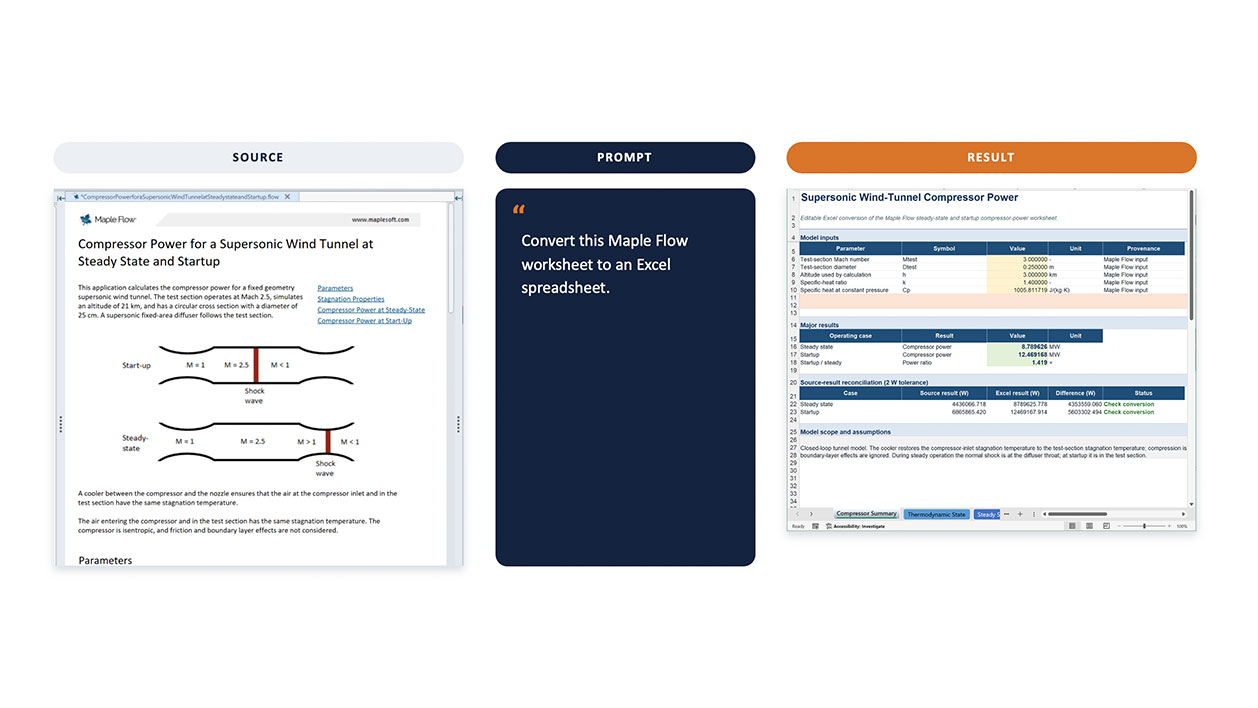
Share calculations with colleagues who don’t use Maple Flow. An AI coding assistant converts a Maple Flow worksheet into an Excel spreadsheet, exposing selected inputs and outputs through a familiar interface while keeping the calculation logic intact behind the scenes.

2 of 3
Put your calculations in the hands of anyone on your team. An AI coding assistant turns a Maple Flow worksheet into a standalone desktop application – inputs, results, and an update button – shareable with colleagues who don’t use Maple Flow.
3 of 3
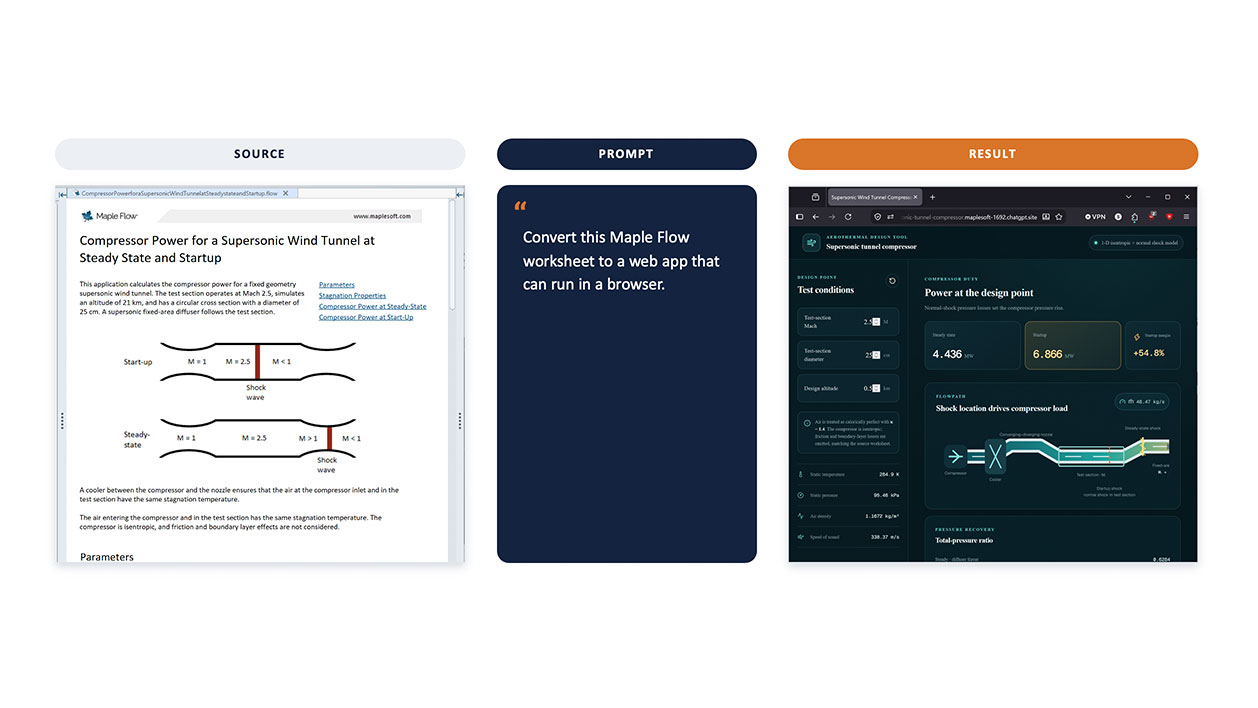
Make your calculations accessible to anyone, anywhere. An AI coding assistant converts Maple Flow worksheet into a browser-based application with no front-end code written by hand and can be run in any browser.

1 of 3
Point an AI coding assistant to a circuit schematic and it extracts the component equations – fetching datasheets and parameters where needed and assembles them into a dimensionally consistent Maple Flow worksheet.
2 of 3
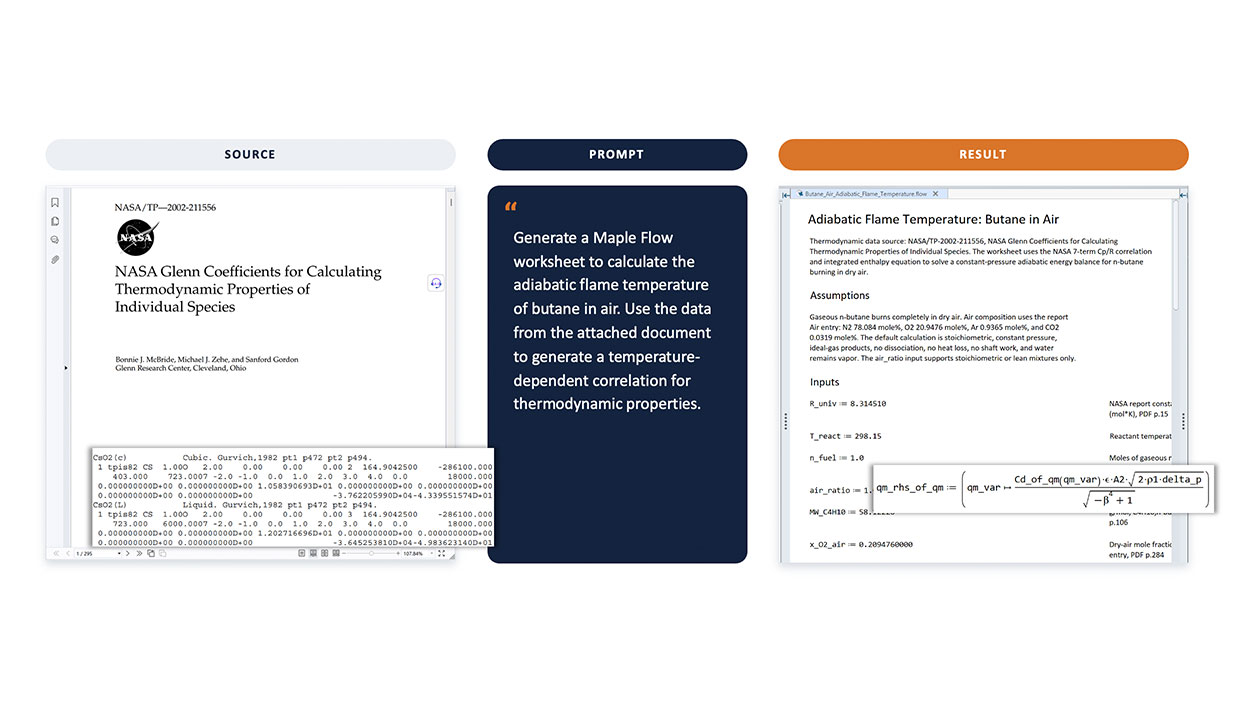
Turn a technical paper into a working engineering calculation. An AI coding assistant reads the source, parses empirical data, and builds structured Maple Flow worksheet with correct polynomials, solved equations, and full provenance back to the original document.

3 of 3
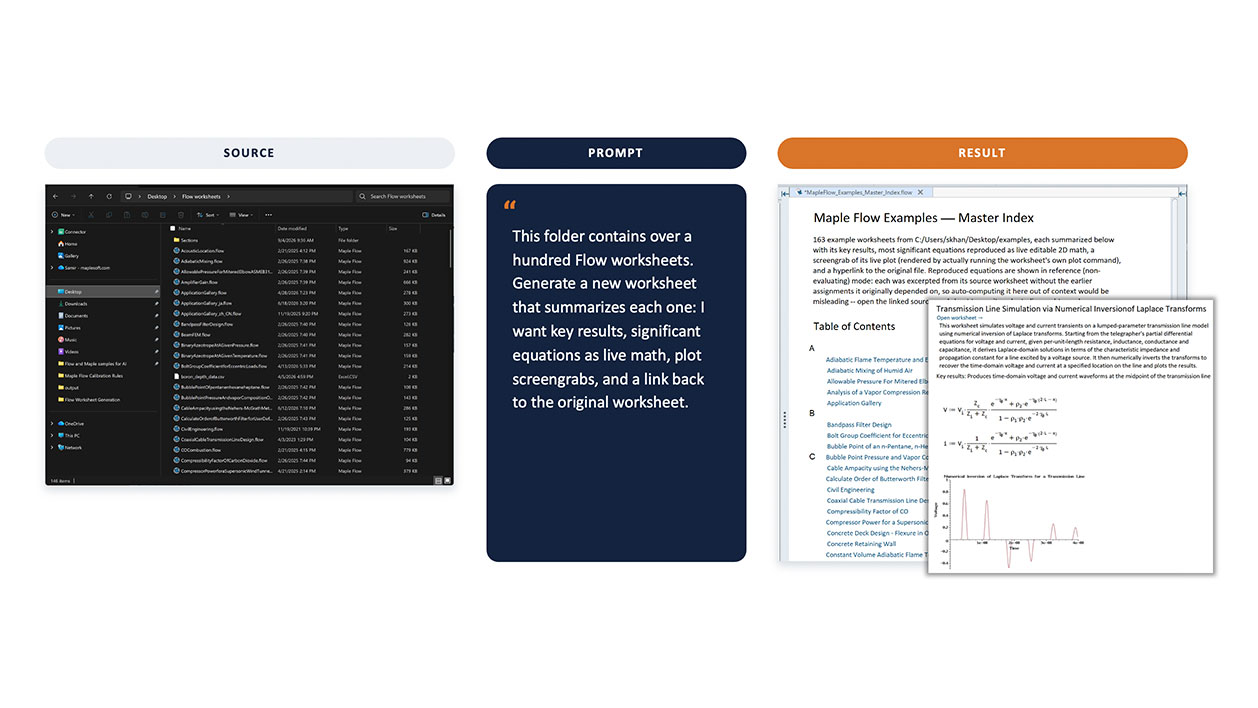
Turn a folder of Maple Flow worksheets into a single searchable index. An AI coding assistant generates a new summary worksheet - key results, significant equations as live math, plot screengrabs, and a link back to each original.

Bring data in; reuse results
• Excel, CSV, text and tables
• supplier or test data
• report-ready outputs
Automate traditionally
• generate worksheets
• convert disconnected code + calcs
• translate technical resources to calculations
Parametric connections via Excel
• calculate dimentions
• drive parameters
• update models automatically
Expose only what users need
• selected inputs and outputs
• hide detailed logic
• simple front end for teams
Connect to broader toolchains
• automation scripts
• batch analysis
• integration with other tools
Delpoy to a code base
• C, C#, Python, VB and more
• Optimized, fast and efficient
Maple Flow sits at the center of a broader workflow - connecting to the data sources, interfaces, and engineering systems already in place. Whether that means deploying calculations to Excel, driving CAD dimensions parametrically or automating through Python, Maple Flow fits into the workflow rather than replacing it.
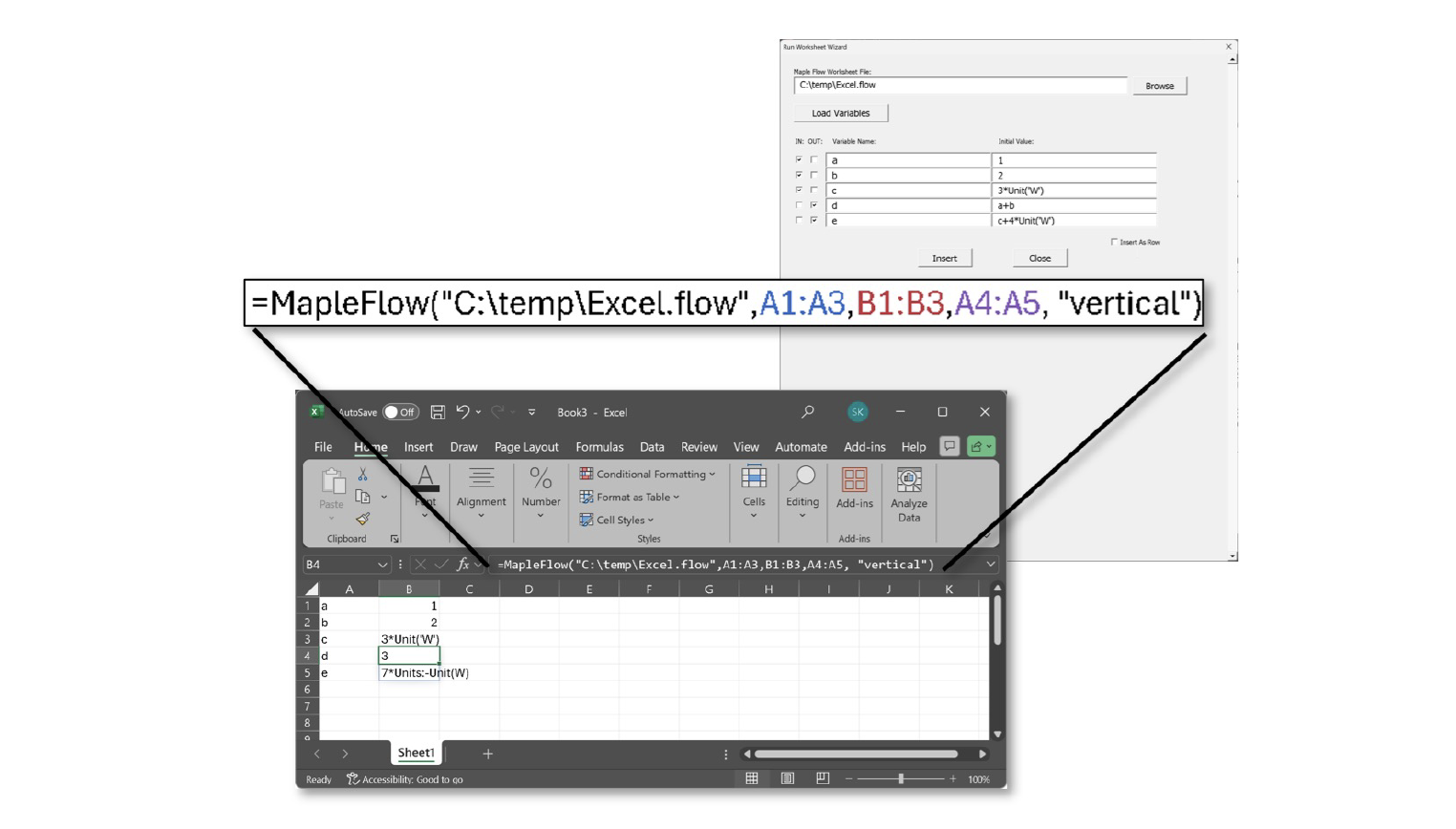
With the Maple Flow add-in for Excel, engineers can deploy their worksheets directly to a spreadsheet. The worksheet runs silently in the background - engineers interact with it through familiar Excel inputs and outputs, while Maple Flow keeps the calculation logic, unit tracking, and 2D math intact.

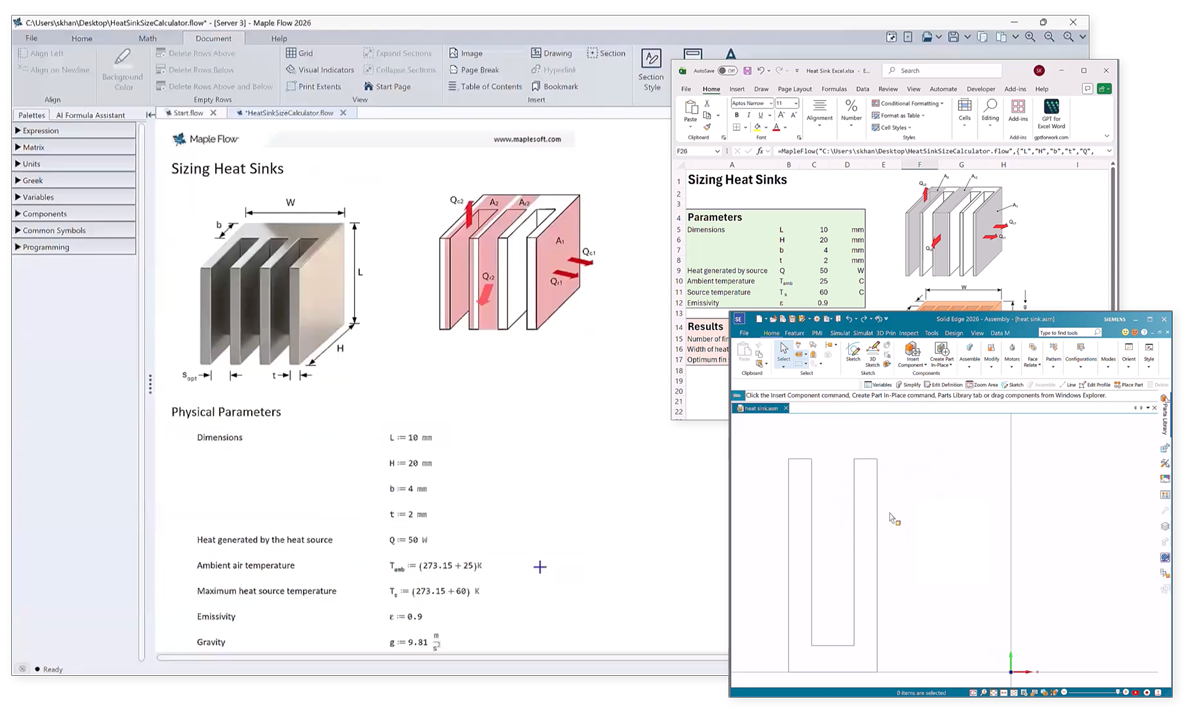
Many engineering tools already have a parametric link to Excel. With the Maple Flow add-in, engineers can plug live Maple Flow calculations directly into that existing network.
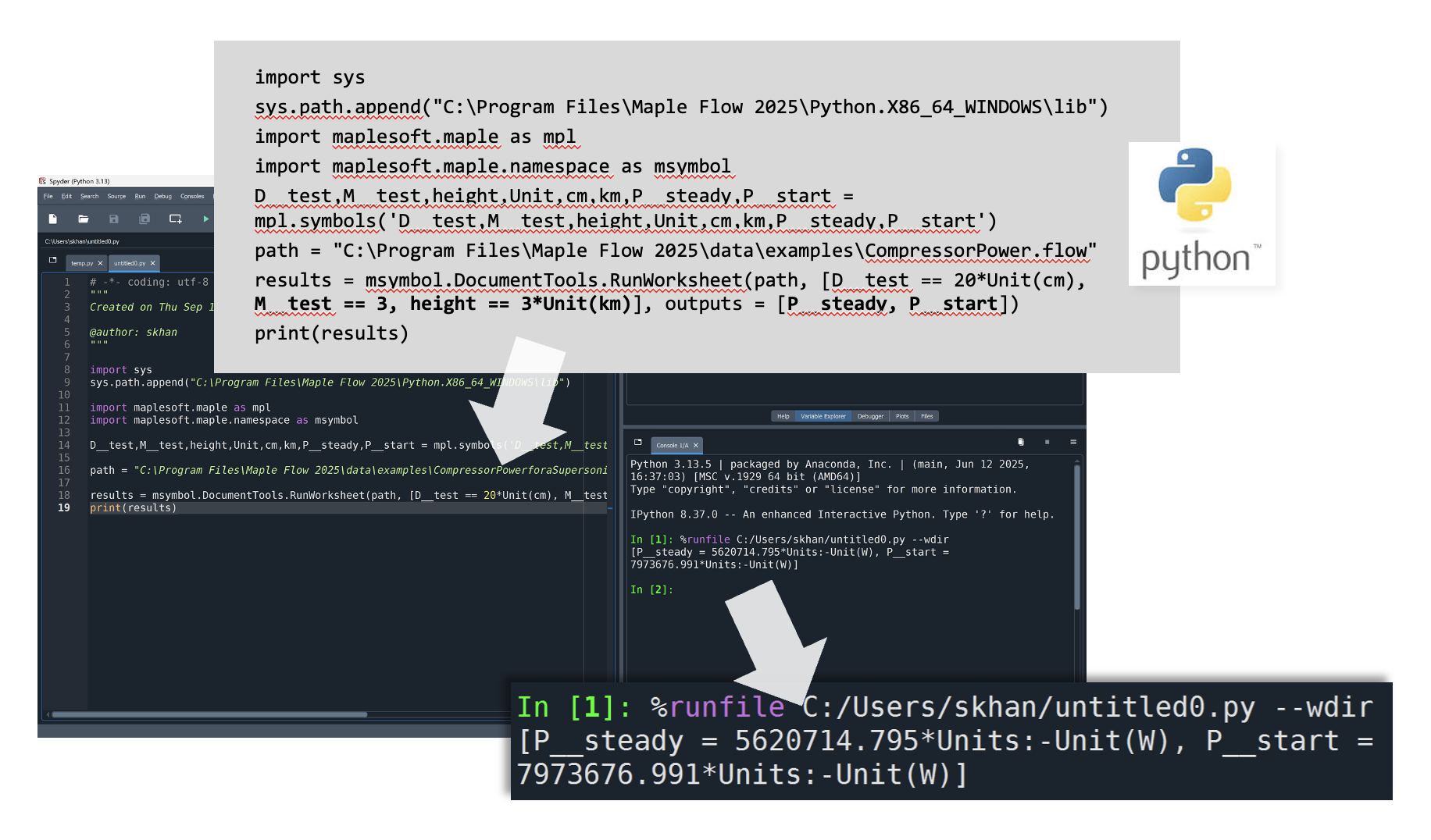
Use Python to run Maple Flow calculations programmatically and incorporate established engineering logic into larger automation, analysis, or data-processing workflows.
