New Features in Maple 2026 - Technical Computing Software for Engineers, Mathematicians, Scientists, Teachers and Students - Maplesoft
Maple Logo Maple
What's New  |  Features  |  Online Demos  |  Compare  |  Training  |  Community  |  Free Trial  |  Buy Maple
Save an additional 20% on Maple 2026 Upgrades until March 31, 2026
What's New in Maple 2026
Maple 2026 combines significant enhancements to core functionality with the thoughtful integration of AI and an unprecedented collection of new benefits for Elite Maintenance Program (EMP) members, so you can do more with math, faster.

AI Assistant

Boost Productivity with the AI Assistant

Your personal AI Assistant will help you do unfamiliar or complex tasks in Maple in a fraction of the time!

Bring Your Documents into Maple

Bring Your Documents into Maple

Turn your PDFs, printed course notes, hand-written scribbles and other documents into Maple documents where the math is live and ready to be used.

Maple Calculator, Included!

Maple Calculator, Included!

Get Maple Calculator Premium on your phone. Now included with your EMP membership!

More Math, Faster Math

More Math, Faster Math

Experience enhanced core functionality, customer requested improvements, and more.

Plot It Your Way

Plot It Your Way

Give all your graphs a consistent, custom look, easily, with new plotting themes.

Maple Learn, Included!

Maple Learn, Included!

Get full access to the online math tool Maple Learn, to use directly or to deploy educational content you create in Maple. Part of your EMP benefits!

Cutting-edge Solvers for Linear Recurrence Equations

Cutting-edge Solvers for Linear Recurrence Equations

New algorithms solve even more LRE problems, faster, in computer science, pure nand applied math, economics, biology, digital signal processing, and many other fields.

Make Your AI Math-Smart

Make Your AI Math-Smart

Plug Maple into your favorite LLM and tell it to leave the math to the experts.

Try Another, and Another

Try Another, and Another

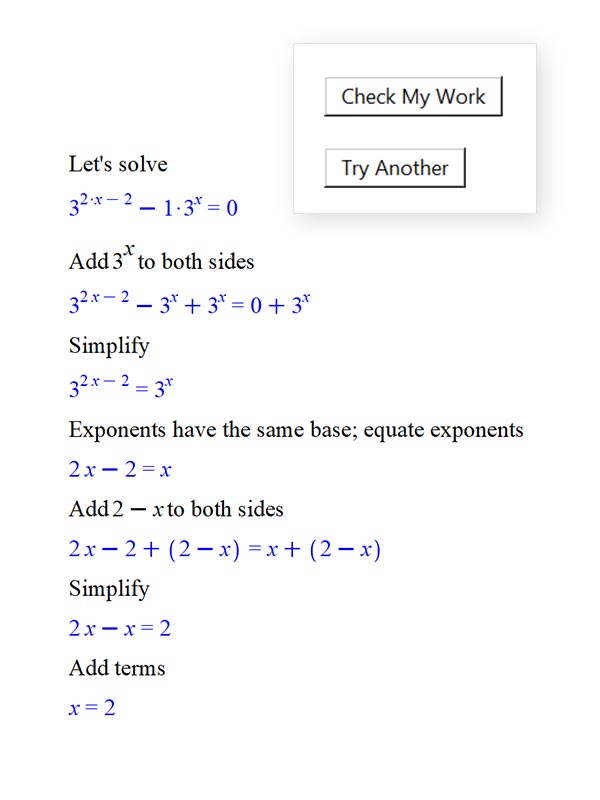
Maple’s practice problem generator is better than ever, so students can keep trying similar problems in even more areas of math, until they feel confident.

More Programming Tools

More Programming Tools

New low-level commands and options simplify code and enable you to provide a smoother experience for the users of your work.

Smooth Interactions

Smooth Interactions

Several small but important improvements to the interface make working in the Maple environment just that much smoother.

Faster Units

Faster Units

Many common operations involving units are significantly faster.

Many More EMP benefits!

Many More EMP benefits!

Your membership in the Maplesoft Elite Maintenance Program provides more benefits than ever before!

Explore the new features


Interface
In Maple 2026, we are expanding our commitment to leverage AI in meaningful and practical ways that increase your productivity while preserving the accuracy of your mathematical computations. New in Maple 2026, you can use AI directly or indirectly to:

  • Boost productivity with the new AI Assistant. Your personal AI Assistant will help you do unfamiliar or complex tasks in Maple in a fraction of the time. Here are some examples of the kinds of help you can ask for:

    • Give me the command for solving a system of linear equations
    • Provide the Maple code to plot a parametric spiral
    • Generate a short explanation of eigenvalues for students in an introductory linear algebra class
    • Show the Taylor series of sin(x) to order 5, and give me the Maple command that does this
    • Write a procedure to apply the trapezoid rule to approximate an integral
    • Generate a document that presents five practice questions on differentiation using the chain rule, and starts with a worked example
    • How can I improve the explanation of combinations vs permutations in the current document?

  • Bring your documents into Maple. Turn your PDFs, printed course notes, hand-written scribbles and other documents into Maple documents where the math is live.
  • Make your external AI math-smart. Plug Maple into your favorite LLM and tell it to leave the math to the experts.
  • Power your own explorations and applications that call on AI using the enhanced Natural Language package.
  • Take advantage of AI-powered learning tools in Maple Calculator and Maple Learn, now available to Maple users as a benefit of the Elite Maintenance Program (EMP)

Learn more...
Watch Video
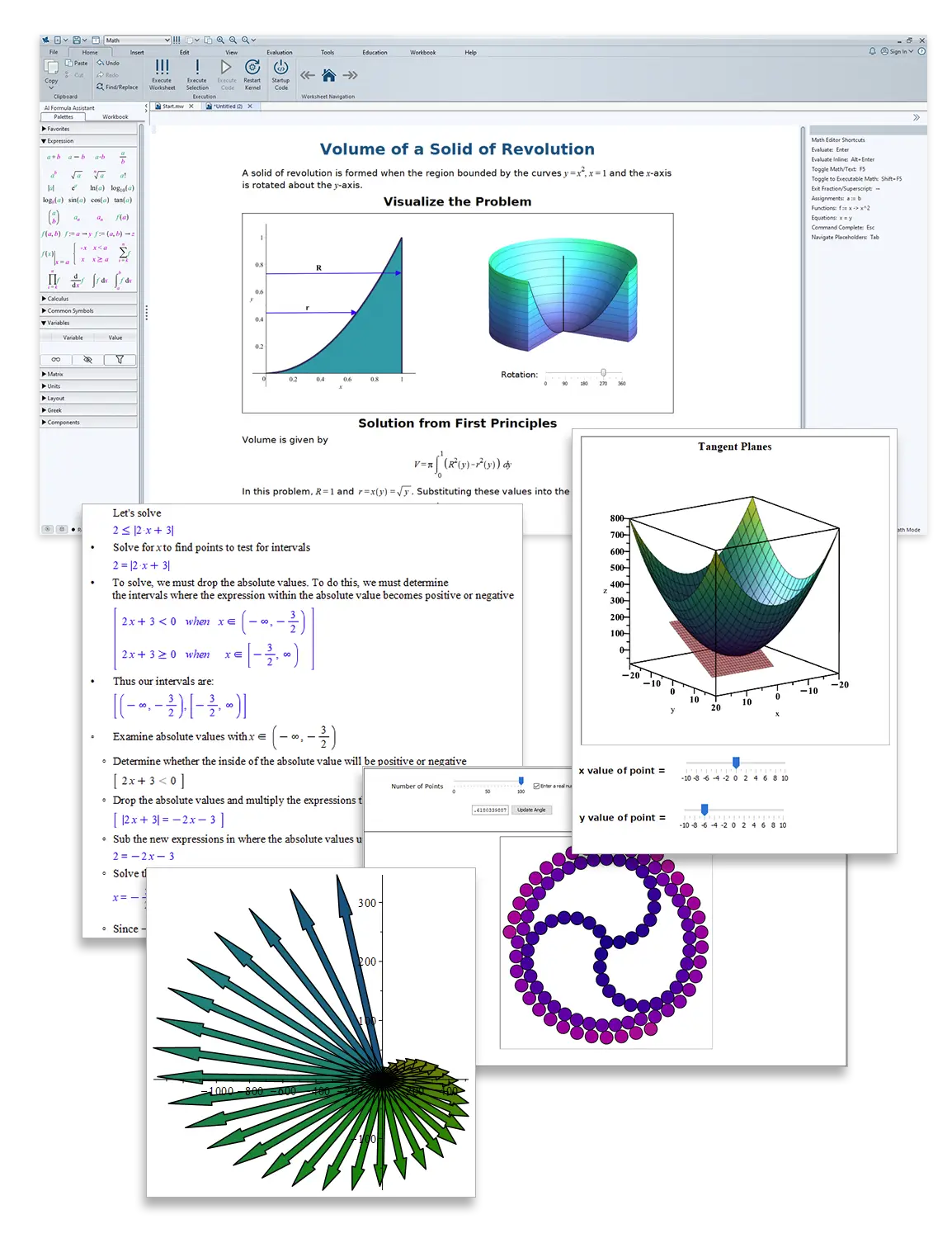
With Maple 2026, you can easily import your hand-written notes, slides, technical papers and other documents that include mathematical content into Maple. The new Document Import feature uses AI to transform your static documents into Maple documents where the mathematics becomes live Maple expressions, ready for you to start exploring.

When you import a document, its contents are interpreted and reconstructed inside Maple.

  • Text and tables become editable Maple content
  • Mathematical expressions are converted into live, typeset Maple mathematics that can be evaluated, modified, extended, and made interactive
  • Drawings and other visual elements are preserved as images
The feature supports a wide range of formats, including PDF, DOCX, EPUB, PPTX, ODT, and various e-book and legacy document types.


Learn more...
With Maple 2026, you can solve even more math problems, faster. This release provides new, cutting-edge algorithms that find solutions to new classes of problems, and enhances core routines that are used regularly both by customers and by other Maple commands.

In addition to the mathematical improvements described in detail elsewhere, here are some highlights:

  • The assume facility, including the commands assume, is and coulditbe, underpins logical inference across simplification, equation solving, property testing, and many internal algorithms. Maple 2026 includes substantial improvements to its robustness, correctness, and scope of reasoning.
  • Improvements to simplify expand its ability to produce more compact, mathematically natural forms across trigonometric, logarithmic, and radical expressions.
  • Enhancements to combine strengthen its ability to return more compact, mathematically natural forms, especially in expressions involving inverse trigonometric functions and logarithms.
  • Numerous improvements to dsolve, pdsolve, odetest, and related routines improve robustness, correctness, and compactness of returned solutions across a range of ordinary and partial differential equations.
  • The SumTools package includes new access functions for working with unevaluated and inert sums.
  • The fsolve command now accepts the option maxinit to give you control over the number of initial points to be attempted using the Newton solver for multivariate problems, and the default value has been increased to increase the likelihood of locating solutions without requiring manual adjustment.

Learn more...
Maple 2026 significantly expands its ability to solve linear recurrence relations. Maple can now fully solve over 94% of the 55,979 entries in the Online Encyclopedia of Integer Sequences (OEIS) that that can be shown to satisfy a linear recurrence relation.

The OEIS is a widely used research database of integer sequences arising in combinatorics, number theory, special functions, and applied mathematics. Achieving this level of coverage represents a major step forward in symbolic recurrence solving.

These advances reflect sustained, cutting-edge research in linear difference equations and their algorithmic implementation in Maple. Through major extensions to the LREtools package and substantial enhancements to rsolve, Maple now solves broad new classes of homogeneous and inhomogeneous recurrences, including many second-, third-, and fourth-order cases that were previously beyond reach.

Maple’s recurrence-solving capability now spans a substantially broader class of linear recurrences than other available systems. While some systems can solve isolated third- or fourth-order cases, Maple provides systematic coverage of higher-order recurrences at a level not available elsewhere.


Learn more...
Plotting Themes
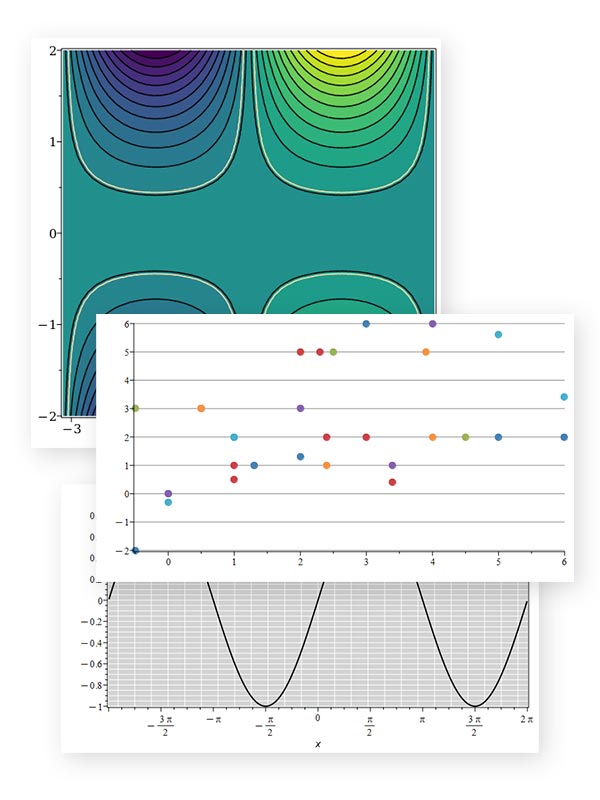
Maple 2026 introduces enhanced support for reusable plotting styles through a new theme option. Maple has long provided extensive control over plotting options, but achieving a custom visual style typically requires specifying multiple settings. The new theme mechanism allows commonly used combinations of options to be bundled and reused, simplifying the creation of consistently formatted visualizations.

With themes, you can define the look you want once and apply it across multiple plots with a single option. This makes it easier to maintain visual consistency in worksheets, teaching materials, reports, and publications, while still allowing individual plot options to be overridden when needed.

Maple 2026 includes several built-in themes, which can be examined and customized, or you can easily create your own.

Learn more...
enhanced tools
Maple 2026 strengthens its support for teaching and learning mathematics with enhanced tools that help students develop their understanding through feedback, practice, and guided solutions.

  • Maple’s Practice and Feedback commands analyze a student’s worked solution and provide feedback on each step, not just the final result. Maple 2026 improves the underlying algorithms to recognize more problem types and interpret student reasoning more accurately.
  • The Try Another facility, which generates problems with similar characteristics to the original question, has been further strengthened to identify and reproduce more characteristics in the original expression, such as a common factor in the coefficients of a polynomial or nested trigonometric functions
  • Step-by-step solutions to standard mathematics problems have been further strengthened, handling even more solve and simplification problems, and improving the results of factoring problems.

Learn more...
Maple users have access to the same powerful programming language that much of the Maple math library itself is written in. Some of the programming language updates in Maple 2026 include:

  • You can now create a vector database, or vector store, using the VectorSearch package.
  • Maple 2026 introduces a new type, variable, which is particularly useful in combination with indets or subsindets when extracting variables from an expression.
  • A new command, FileTools:-SuggestName, helps generate data file names when you want to keep the various iterations of computed data in the same directory through multiple runs.
  • The type coercion mechanism, which gives an easy way for a procedure to automatically accept many data structures while only having to deal with one in your code, now provides more detailed error messages to the user so it is easier for them to call your procedure correctly.
Learn more...
Performance improvements in Maple 2026 include:

  • Performance of calculations involving quantities with units has been greatly improved in Maple 2026, especially in comparisons, piecewise, and core operations.
  • Hardware float vector initialization has been further optimized.
  • Solving some polynomial systems is faster due to a new sub-algorithm in Groebner[RationalUnivariateRepresentation]. This command, which is called by higher level Maple commands, uses parallel computation and is considerably faster for large systems.
Learn more...
Maple 2026 includes a new approach for bringing ongoing library improvements to Maple customers, between official point releases. Started in early 2025, the Maple Customer Support Updates are an ongoing series of improvements and fixes to the Maple library, intended to provide a rapid response to customer reports and requests. By using these updates, Maple users can have access to some of the latest improvements in Maple without having to wait for the next full or point release. In Maple 2026, the SupportTools package provides an easy way for Maple users to install the latest Customer Support Updates at their own convenience.

Learn more...
Interface
Maple 2026 introduces and enhances many ease of use features. In addition to major additions such as the AI Assistant and Document Import, which make it easier than ever to move from idea to working mathematics, Maple 2026 also includes more keyboard navigation options, improved color contrast in the palettes, window snapping and tiling, and more intuitive control over the display of side panels. In addition, worksheets now have a cleaner, less clutter look because execution group boundaries are no longer displayed by default.

Learn more...
Graph Theory
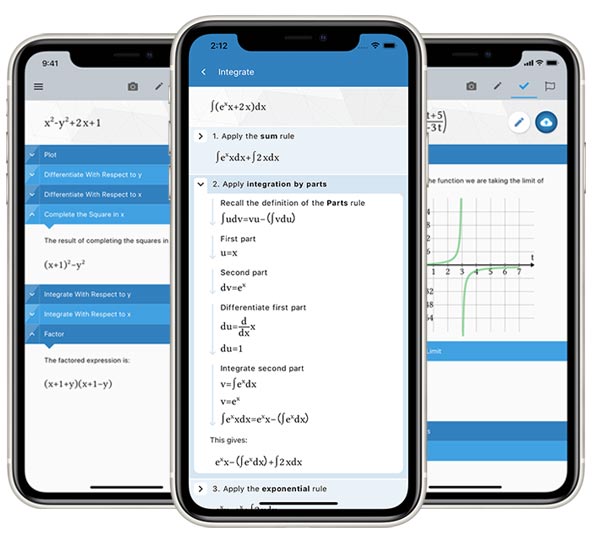
Maple Calculator Premium is now included with Maple as a benefit of the Elite Maintenance Program (EMP). The Maple Calculator app brings the power of Maple’s math engine to your mobile device. With more than 6 million downloads and a 4.5-star rating, it is one of the most widely used advanced mathematics apps available today. Now, Maple users who have an EMP membership get Premium-level access to Maple Calculator, providing unlimited step-by-step solutions and AI-powered word problem support, in addition to the extensive solvers and visualization tools available in the base application.

Learn more...
Signal Processing
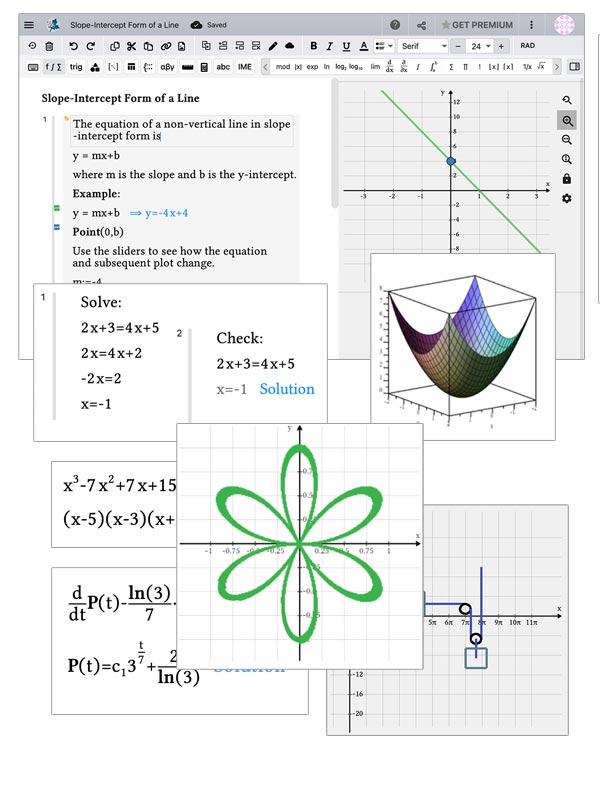
Full access to Maple Learn is now included with Maple as a benefit of the Elite Maintenance Program (EMP). Maple Learn is Maplesoft’s online environment for teaching and learning mathematics, designed for courses from the end of high school through second-year university. It combines the computational power of Maple with a browser-based, mathematics-focused document interface.

With full access to Maple Learn, you can:

  • Solve, visualize and explore math in your web browser, with results coming from the trusted Maple math engine
  • Programmatically generate educational content directly within Maple and deploy it online through Maple Learn
  • Create interactive activities and other documents directly in Maple Learn
  • Share content with students through direct links or by publishing it to the Maple Learn Gallery
  • Check for errors in handwritten solutions, in combination with Maple Calculator
  • Access thousands of ready-to-use online math explorations, or customize them to better suit your needs
  • Use Maple Learn's built-in AI Assistant to develop educational content

Learn more...
The Maple Quantum Chemistry Toolbox from RDMChem is a powerful add-on product to Maple for computing and visualizing the electronic structure of molecules. In Maple 2026, this toolbox introduces significant new capabilities and enhancements that enable:

  • Concise, index-based tensor algebra in Maple through the new TensorTools package
  • Object-oriented construction and manipulation of second-quantized operators through the new Operator framework
  • Additional improvements across the Toolbox for computation, visualization, and workflow


Learn more...
Membership in the Maplesoft Elite Maintenance Program (EMP) now provides you with significantly more benefits. Not only does EMP provide you with upgrades to Maple, but now it also puts many more products and services into your hands. These include:

  • Access to AI-powered features in Maple:

    • The new AI Assistant, which helps you accomplish your tasks in Maple faster than ever
    • The new Document Import tool, which turns static PDFs, printouts and other non-Maple documents into Maple documents with live math
    • The NaturalLanguage package, which powers your own explorations and applications that call on AI from within Maple

  • Maple Calculator Premium – Get the power of Maple on your phone, with unrestricted access to features like Solution Steps and Check My Work.
  • Maple Learn - EMP members have full access to Maple Learn, the online environment for teaching and learning math. You can use Maple Learn directly, as much as you wish. You can also use it to deploy content developed in Maple, such as practice quizzes capable of checking the steps in their solutions, to students who don’t have Maple.
  • Maple MCP - Plug the Maple math engine into your favorite external AI tool, so it will produce math results you can trust.
Learn more...
Live Webinars: Introducing Maple 2026
Watch what the new release can do!
But that’s not all!
See what else you’re missing
If you aren’t at Maple 2025 already, upgrading to Maple 2026 will also get you all the great improvements from the intervening releases. Explore the new features that were introduced in earlier releases:
We’re More than Just Maple
Did you know? In addition to Maple, Maplesoft offers a variety of complementary online, mobile, and desktop solutions for teaching and learning math and increasing student success rates.